Honista APK for Android
Explore Honista APK for Android with a clean interface, useful features, and a mobile-friendly app experience. Discover its available options in one convenient place.
Download Now
Honista APK
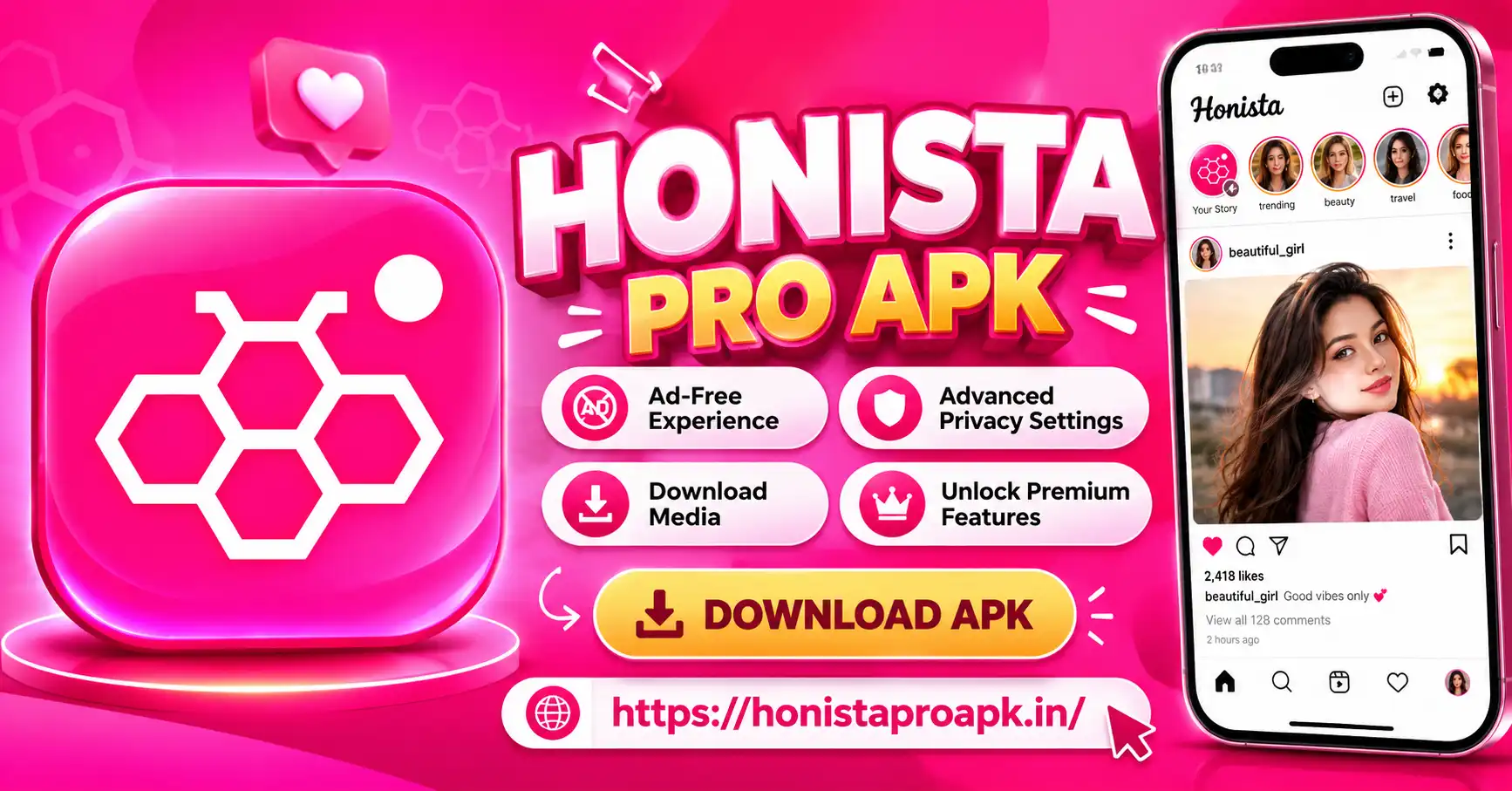
Honista APK is a modified Instagram app for Android users. It adds extra tools to the normal Instagram experience. Many users download it for privacy and customization options. The app also includes tools for saving different media types. You can save photos, Reels, videos, and Stories directly. This can be easier than using separate downloader websites. Honista Pro also provides different controls for viewing content privately. Some versions include Ghost Mode for quieter browsing. Users can also change themes, fonts, colors, and other settings. The interface still looks familiar to Instagram users. So, getting around the app can feel simple for many people. The extra options are mostly placed inside the app settings. This makes the main experience fairly easy to understand.
Another reason users search for Honista Pro is customization. The app gives more controls than the normal Instagram application. You can change how different parts of the interface look. Some versions include many themes and different font styles. Privacy settings can also be changed from the available options. Users may hide typing status or message seen indicators. Story viewing privacy is another commonly mentioned option. The built-in media downloader is also useful for many users. Through this, content can be saved without another application. Some releases also include app locking and hidden chat options. These features can make everyday Instagram use more controlled. However, available features can change with each version. The exact options depend on the Honista build being installed.
Honista APK App Information
| App Information | Details |
| App Name | Honista APK |
| Version | Latest Veraion |
| Developer | Honista / Third-party developers |
| File Size | Around 152.9 MB |
| Android Requirement | Android 9.0+ |
| Category | Social / Instagram Modification |
| Latest Update | 1 hour Ago… |
| Root Access | Not Required |
Version, size, and Android requirements can vary between APK builds.
What is the Honista APK App?
Honista APK is a modified version of Instagram for Android. It uses the familiar Instagram style for everyday browsing. The main difference comes from its additional settings. These settings focus on privacy, downloading, and customization. You can browse posts, Reels, Stories, and messages normally. At the same time, extra tools are available inside the app. Many users install it for downloading media directly. Other users mainly look for privacy controls and themes. The app can also provide options for hiding activity indicators. Some releases include Ghost Mode for private browsing. This can affect story views, messages, and live activity. There are also settings for changing fonts and interface colors. So, the app combines normal Instagram functions with added tools.
Honista Pro is mainly designed for Android phones and tablets. Current listings for v13.0 mention Android 9 or newer. The current listed build is also around 152.9 MB. However, APK packages can have different sizes elsewhere. The app is not the standard Instagram application from Meta. It is distributed as a third-party modified APK instead. Because of this, it is generally installed outside Google Play. Users normally download the APK and install it manually. Some versions can work alongside the regular Instagram application. Still, compatibility depends on the Android device and APK build. Updates can also change how some features work. This is because the app depends on Instagram changes. So, users may notice different options in newer versions.
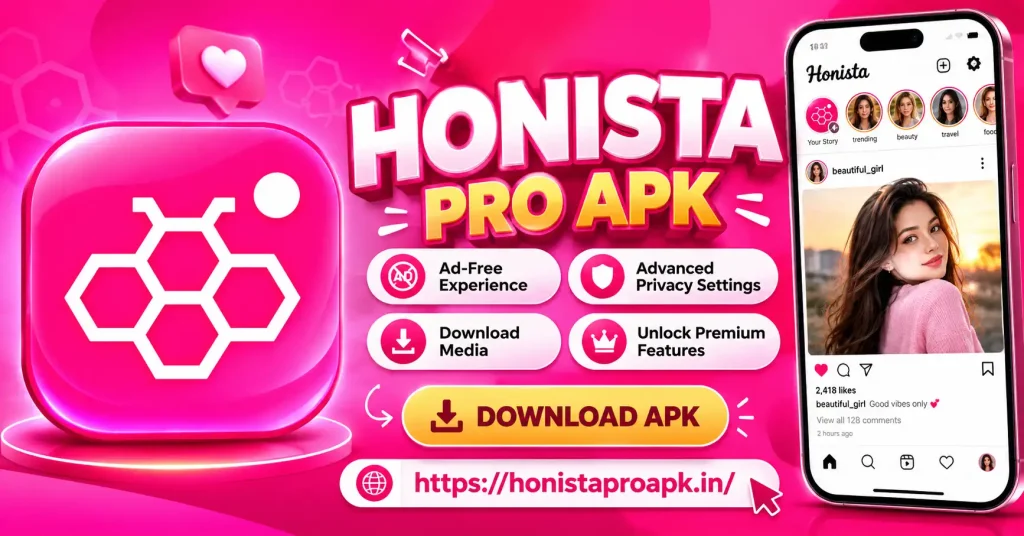
Features of Honista APK
Built-In Media Downloader
Honista APK includes a built-in media downloading tool. Users can save photos, videos, Reels, and Stories. This removes the need for separate downloader websites. The download option can appear through the app interface. Some versions also support different types of media. It can make saving content more simple during browsing.
Ghost Mode
Ghost Mode is one of the commonly mentioned Honista features. It focuses on making certain activities less visible. Users may hide story viewing and message seen status. Some builds also mention hidden live viewer activity. The exact privacy controls can differ between versions. Users can normally manage these settings from the app options.
Hidden Seen Status
The app provides options for controlling seen indicators. These settings can apply to messages and Stories. Users may read a message without showing the normal seen mark. Story viewing can also have privacy controls in some versions. This gives users more control over their activity. The available options depend on the installed build.
Hide Typing Status
Honista Pro can provide a setting for typing visibility. Normally, Instagram can show when someone is typing. Some Honista builds let users hide this indicator. This setting can be useful during private messaging. It is usually controlled from the privacy settings. The option may have a different name in some releases.
Ad Blocking
Some Honista versions include controls for reducing advertisements. This can remove or reduce sponsored content while browsing. The purpose is to make the feed look cleaner. Users can then scroll through content with fewer interruptions. Ad-related controls can change with different releases. Not every build should be expected to work exactly alike.
Custom Themes
Honista APK provides more interface customization than standard Instagram. Users can select different themes for the application. Some current listings mention more than 50 themes. Colors and other visual elements can also be changed. This lets users create a different appearance for the app. Theme availability can depend on the installed version.
Custom Fonts
Font customization is another feature commonly linked with Honista. Users can select different font styles inside supported versions. Some builds also provide special fonts for Stories. This changes the visual appearance of text in certain areas. It gives users more choices than the standard interface. The exact font collection can change between updates.
Custom Emojis
Some Honista versions allow users to change emoji styles. Different emoji packs can be available inside the settings. Sources mention styles such as iOS, Facebook, and Twitter emojis. This gives chats and captions a slightly different appearance. Users can switch between supported styles when available. Again, these options can depend on the current build.
Profile Picture Zoom
Honista can provide a larger profile picture viewing option. Users can open profile images in a bigger view. This can make small profile pictures easier to see. The feature works while browsing supported Instagram profiles. Some versions provide this through a tap or hold action. It is a simple extra option for normal browsing.
Copy Captions and Comments
The app can provide extra copying options for Instagram content. Users may copy captions, comments, or profile bios. Standard Instagram can limit copying in some areas. Honista adds tools that can make this process easier. The copied text can then be used in another application. This feature is mainly useful for simple text collection.
Multiple Account Support
Honista APK can support several Instagram accounts together. Users can switch between available accounts from the app. This can help people managing personal and other profiles. Login information does not need to be entered each time. Some versions mention expanded account limits as well. The exact number can depend on the current release.
App Lock
Some Honista releases include a built-in app lock. Users can protect the application with extra security. Available methods may include a PIN or fingerprint. This can stop casual access to the application. It is separate from the normal phone screen lock. Users can normally configure it from privacy settings.
Hidden Chats
Hidden chat options are included in some Honista builds. Selected conversations can be removed from the normal chat list. Access may then require a PIN or fingerprint. Some versions also hide notifications from selected chats. This provides another way to organize private conversations. The feature names and controls can change across updates.
Custom Chat Backgrounds
Honista can let users change the appearance of chat screens. Some versions allow a custom image as the background. Users can select an image from their device gallery. This makes individual conversations look more personalized. The setting is normally available within chat customization options. Not every build contains the same background tools.
Feed Controls
The app can provide additional controls for the Instagram feed. Users may filter certain types of content from appearing. Some builds mention controls for suggested posts and pages. There are also options related to seen or liked content. These settings can make the feed feel more controlled. Available filters depend on the version being used.
Reduce Data Usage
Some Honista versions include controls for internet data use. Users can reduce the quality of loaded media. This may help when using limited mobile data. Video loading can also be adjusted through available settings. The purpose is keeping unnecessary data usage lower. These controls can be useful on slower connections too.
Repost Tools
Honista can include additional tools for reposting Instagram content. Some builds can automatically download post media first. Captions may also be filled automatically during reposting. This reduces the number of manual steps for users. The exact repost process can change between versions. Users should check the available controls before using this feature.
Night Mode
Night mode provides a darker appearance for the application. It can be switched quickly in supported Honista versions. Dark colors can make the interface look different at night. Some builds include a fast switch for this setting. The option is mostly for interface preference and viewing comfort. It does not change the basic Instagram functions.
Pros & Cons
Pros
Cons
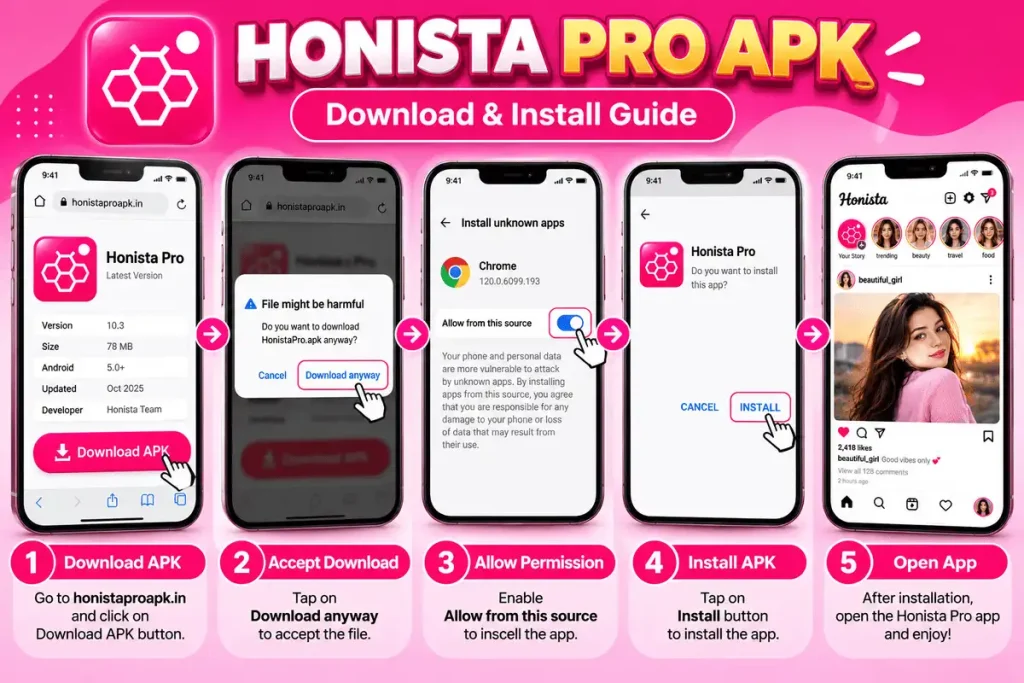
How to Download, Install, and Use Honista APK?
Honista APK vs Instagram
Many users want to know the difference between Honista Pro and Instagram. The main difference is the number of extra controls. Instagram is the official app from Meta and comes through Google Play. Honista Pro is a modified Android application with additional options. These can include downloading, privacy controls, themes, and interface changes. Instagram also receives official updates through its normal app channels. Some features can vary by country or region.
| Feature | Honista APK | |
| Media Downloader | Available | Not built-in |
| Custom Themes | Available | Limited |
| Custom Fonts | Available | Limited |
| Ghost Mode | Available | Not available |
| Ad Blocking | Some builds | No |
| App Lock | Available | Device-based |
| Play Store | Not official | Available |
| Official Updates | No | Yes |
| Reels | Available | Available |
| Stories | Available | Available |
Honista APK adds several settings around the normal Instagram experience. These settings focus mostly on privacy and customization. Users can find download tools and different interface options. Some versions also provide hidden activity controls. This gives the app a different set of controls than Instagram. Custom themes and fonts are also part of the modified experience. However, these features depend on the specific Honista build. The official Instagram application does not provide the same mod tools.
Instagram provides the normal official service from Meta. It is available through Google Play and receives official updates. The app supports Stories, Reels, Notes, messaging, and Explore. Some features can also depend on location and account settings. Instagram includes its own data safety information on Google Play. Honista Pro does not have the same official distribution. This difference matters when updates or support are needed. Users may also find that modified features change after Instagram updates.
Honista APK Alternatives
Some users look for other Instagram applications with extra options. Different modified apps provide different tools and settings. Other users prefer official apps with fewer changes. The choice can depend on privacy, customization, downloads, and updates. Here are some known alternatives users may come across online.
Instagram is the official social media application from Meta. It supports photos, videos, Stories, Reels, Notes, and messaging. Users can also explore content through Search and Explore. The official app is available through Google Play for Android. It receives updates through the normal app store system. Unlike Honista Pro, it does not provide the same modified privacy tools. It also does not include a built-in general media downloader. Some features may differ depending on country or region.
Instagram Lite
Instagram Lite is a smaller version of Instagram from Meta. It is designed to use less storage and mobile data. The app still supports photos, videos, Stories, Reels, and search. It can be useful on slower networks and smaller devices. Unlike Honista Pro, it focuses on a lighter official experience. It does not provide the same collection of modification tools. Instagram Lite is also distributed through Google Play in supported regions.
Instander
Instander is a modified Instagram application for Android devices. Its published changelogs have included download buttons, app locking, and font options. Different releases have also added controls for Stories and media. The project has had different versions and builds over time. Some older project material is now archived, so version status matters. Like Honista Pro, it is different from the official Instagram app. Users should check the actual release details before installation.
Insta Pro
Honista APK is another modified Instagram application found in third-party APK listings. It focuses on extra privacy, downloading, and customization options. Some versions provide themes, media downloads, and additional interface settings. Its available features can differ between releases. Like Honista Pro, it is not the standard Instagram application from Meta. Users may therefore see differences in updates and compatibility. It is another name users may consider when looking at Instagram modifications.
FAQs
Conclusion
Honista APK is mainly used by people wanting more controls. It keeps many familiar Instagram functions inside the application. At the same time, it adds privacy and customization tools. Media downloading is another feature found in many releases. Users can save different Instagram media from inside the app. Themes and fonts also change the normal interface style. Privacy options can hide some activity indicators. Other tools include account switching, app locking, and hidden chats. These features make the application different from standard Instagram. The exact options are not always the same. Different releases can include different settings and tools. This happens because modified apps are updated separately. So, the installed version can affect the available features. The app can also look different after newer releases.
The Honista APK is mainly searched by Android users. Many users are interested in its extra customization options. The built-in downloader is another common reason for downloading it. Ghost Mode and privacy settings are also often mentioned. The app can provide a more adjustable Instagram interface. Users can change themes, fonts, emojis, and chat backgrounds. Some versions also include app lock and hidden chat tools. These options are not provided in the same way by Instagram. However, Honista Pro is still a third-party application. It does not receive updates through the normal Play Store. This means users need to check version information themselves. Compatibility can also change when Instagram changes its system. Because of this, the APK version matters during installation. Some settings may work differently after an update.
There are also some things users should keep in mind. A modified Instagram application is different from the official client. APK files should always be checked before installation. Users should also understand possible account and privacy risks. The available download source can make a difference here. Some websites may provide outdated or changed APK files. It is better to check the version and file information first. Honista Pro can offer many extra tools in one place. It can also make some daily actions more convenient. Still, every feature depends on the particular release. The application keeps changing as Instagram itself changes. Some users may find the extra controls useful for their needs. Others may prefer the official Instagram application instead. The difference mainly comes from available controls and support.